Bitwig Studio
Bitwig Studio connects to V-Control Pro with the Mackie Control protocol. V-Control Pro must be set up in the Controllers section of the Bitwig Studio Settings. A single Mackie Control controller handles all banks: each 8-channel bank uses one MIDI input and output pair, so the configuration varies with how many banks are being used.
Info
Launch V-Control Pro before Bitwig Studio so the V-Control MIDI ports are available when Bitwig Studio starts.
Add the Controller
- Launch Bitwig Studio
- Open the Dashboard and select
Settings - Select
Controllers - Click
+ Add Controllerat the bottom of the Controllers list - Set
Hardware VendortoMackie - Select the
Productthat matches the number of banks you are using, then clickAdd:
| Banks | Channels | Product |
|---|---|---|
| 1 | 8 | Mackie Control |
| 2 | 16 | Mackie Control +1 EXTENDER |
| 3 | 24 | Mackie Control +2 EXTENDER |
| 4 | 32 | Mackie Control +3 EXTENDER |
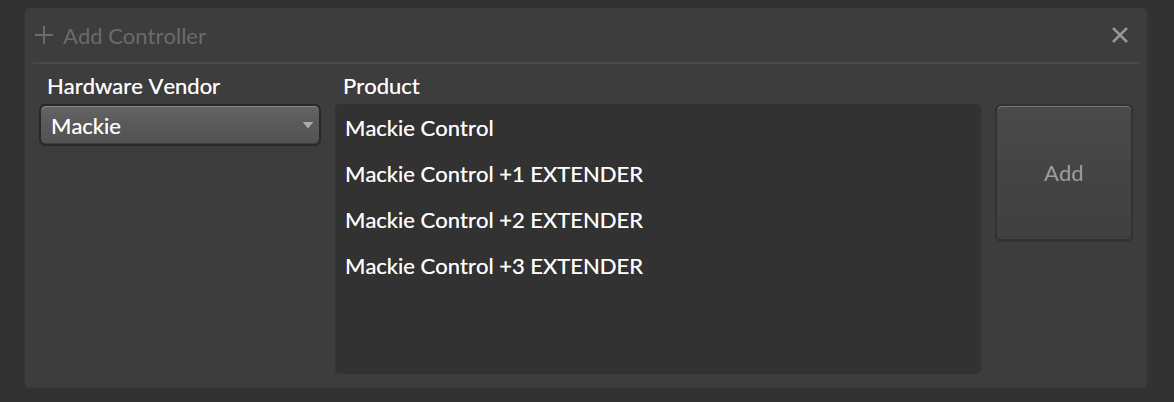
Then set up the MIDI ports as described below for your number of channels. Make sure the controller is enabled (power button on).
8 Channel
Add the Mackie Control product, then select the following MIDI ports:
- Input:
V-Control - Output:
V-Control
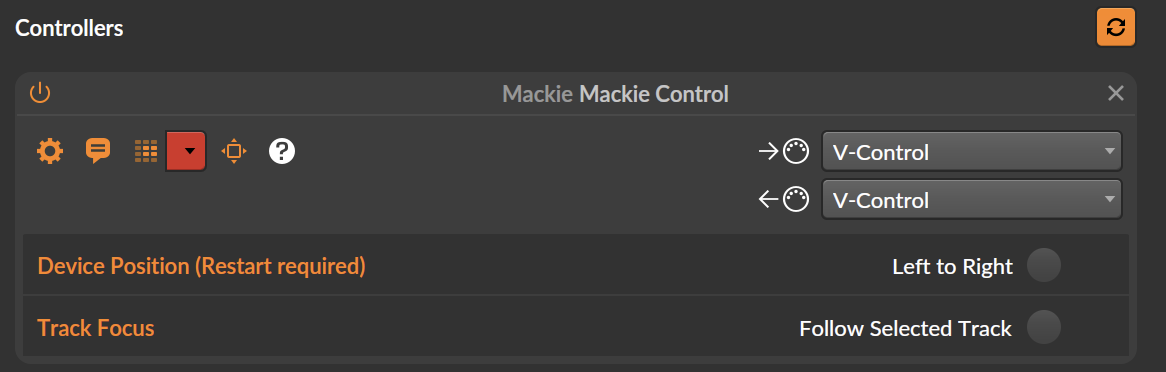
16 Channel
Add the Mackie Control +1 EXTENDER product, then:
- Select the following MIDI ports:
- Inputs:
V-Control,V-Control XT2 - Outputs:
V-Control,V-Control XT2
- Inputs:
- Turn on
Device Position (Restart required)-Left to Right - Restart Bitwig Studio.
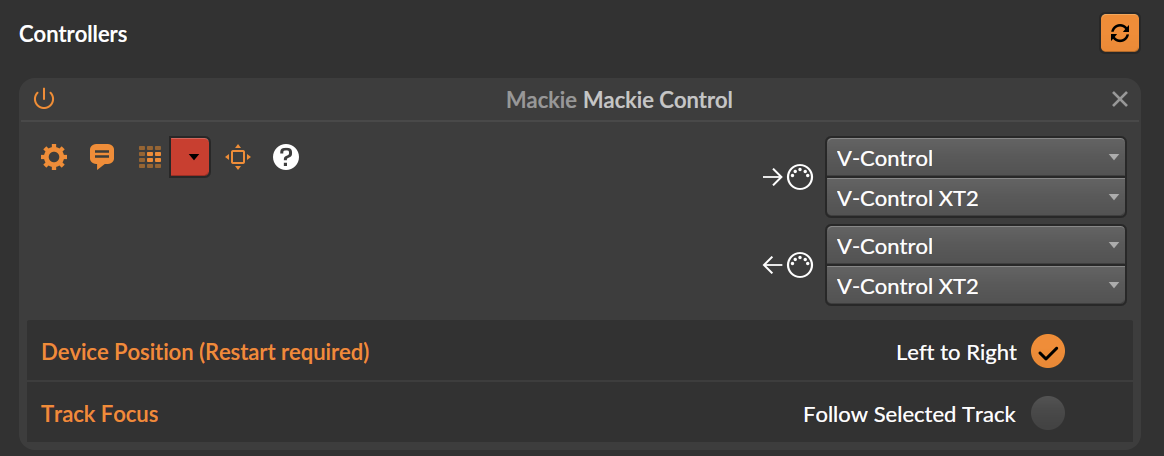
24 Channel
Add the Mackie Control +2 EXTENDER product, then:
- Select the following MIDI ports:
- Inputs:
V-Control,V-Control XT2,V-Control XT3 - Outputs:
V-Control,V-Control XT2,V-Control XT3
- Inputs:
- Turn on
Device Position (Restart required)-Left to Right - Restart Bitwig Studio.
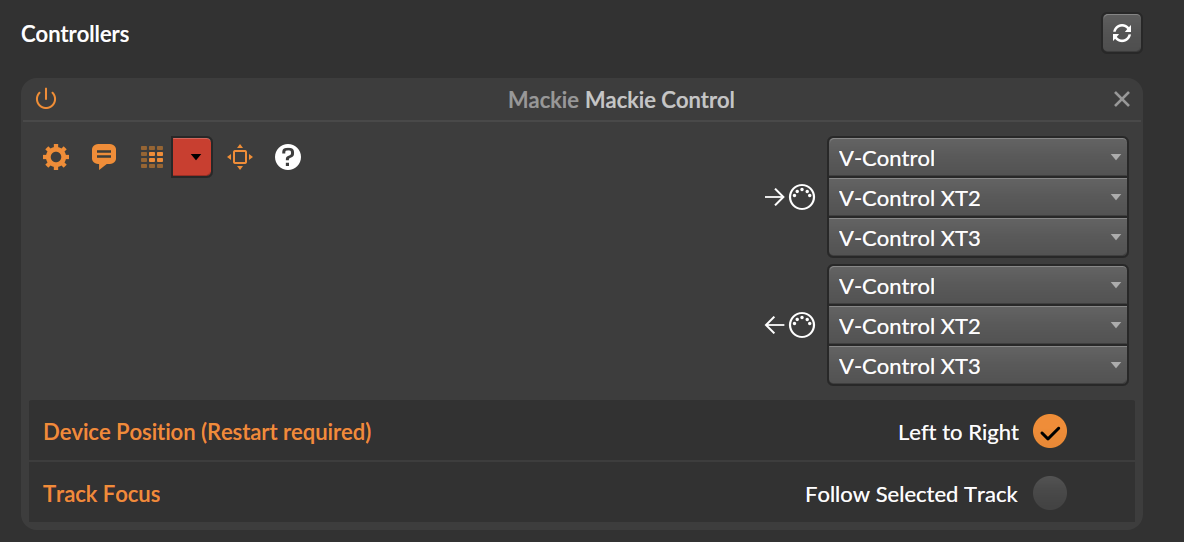
32 Channel
Add the Mackie Control +3 EXTENDER product, then:
- Select the following MIDI ports:
- Inputs:
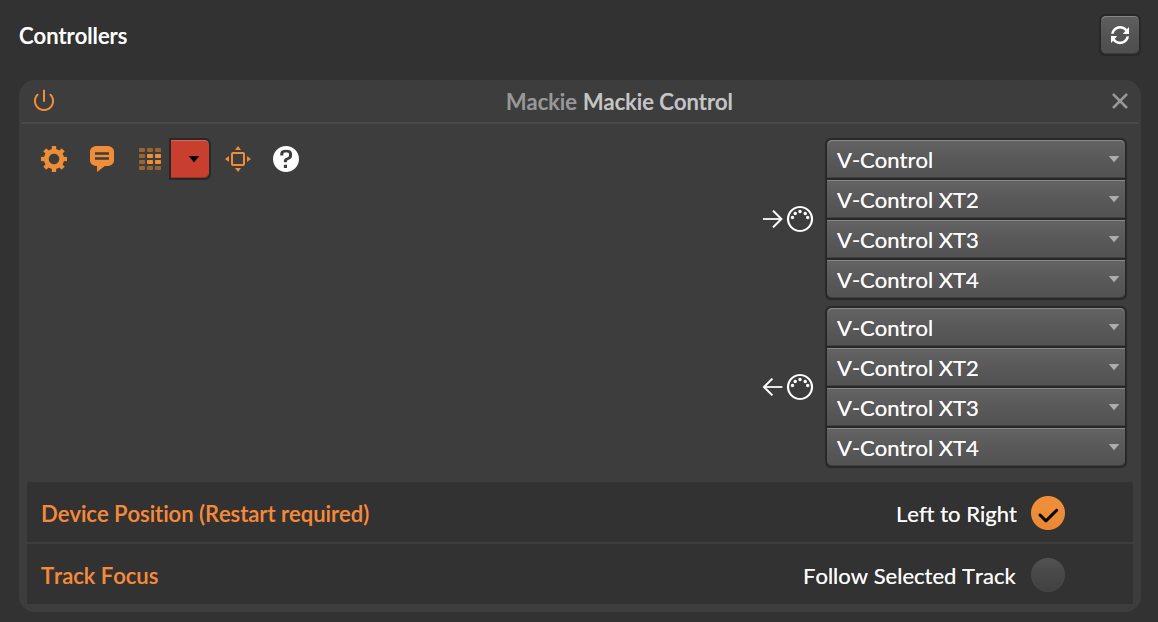
V-Control,V-Control XT2,V-Control XT3,V-Control XT4 - Outputs:
V-Control,V-Control XT2,V-Control XT3,V-Control XT4
- Inputs:
- Turn on
Device Position (Restart required)-Left to Right - Restart Bitwig Studio.
Note
The port order sets which channels each bank controls. If the channel strips appear out of order on your control surface, check that the ports are listed in the order V-Control, XT2, XT3, XT4 and that Left to Right is on.